


There has never been more ways to build a website quickly. AI tools, drag-and-drop platforms, and template builders can produce something that looks like a finished site in an afternoon. And if all you need is something that looks like a website, that might be enough.
But if you need a website that actually works, one that:
- Converts visitors
- Supports your sales team
- Reflects your brand accurately
- Holds up technically
- Gives your team the ability to manage it without calling a developer
then the process behind it matters as much as the output.
At LT, our website design and development process is built around a simple belief: the right website for your business can't be generated from a prompt. It requires research, strategy, cross-functional expertise, and a structured sequence of decisions made in the right order.
The Difference Between a Website and a Business Tool
Website projects don't fail because of bad design or weak development. They fail because of what didn't happen at the beginning: the discovery that got rushed, the content strategy that never existed, the stakeholder who wasn't in the room when important decisions were made.
A structured process is the mechanism that keeps a project on track, keeps our clients and our team members aligned, and ensures the site that launches actually matches what was agreed on.
Every phase of our process has a specific job. Skipping one creates problems in the phases that follow, problems that are always more expensive to fix after the fact than they would have been to prevent.
This is true whether you're building a ten-page brand site or a multi-location platform with hundreds of pages.
Phase 1: Discovery
Discovery is the most important phase of any website project. It's also the one most often underestimated by clients who are eager to see something.
What we're doing: Refining and documenting the requirements for the final website; the page list, voice and tone, look and feel, and the functional requirements that form the foundation for everything that follows.
Key activities include:
- Kick-Off Meeting: Aligning on scope, division of responsibilities, and the web process with the full team
- Stakeholder Interviews: 1:1 sessions with key client representatives to understand project goals and brand nuances at a deeper level
- Site Audit: A page-by-page deep dive into the existing site using analytics to decide what content to keep, consolidate, or remove. This includes an SEO and content audit, functionality audit, and page consolidation plan
- Web Messaging Framework: The strategic "North Star" document for the project, connecting what a client offers, why it matters emotionally, and how the website's voice and content overcome customer hesitation, so every page speaks with one unified point of view.
- Sitemap: A cross-functional deliverable developed collaboratively by SEO, content, and UX establishing the navigation and footer structure of the site from all three angles
- Competitor & Design Inspiration Research: An examination of key competitors and similar brands to inform design direction and user pattern best practices
- Discovery Check-In + Deliverable Revisions: Presenting discovery deliverables for feedback and approval before moving forward
What we need: Stakeholder availability for interviews, reference sites, analytics access, and domain or hosting access.
Phase 2: Content & Design
Once discovery deliverables are approved, we move into the phase where strategy becomes something you can see. Content strategy helps us understand how we speak to our audience, and allows the UX and development teams to create a digital experience that meets the user where they're at in a deeply connected, engaging way..
Designing around placeholder content is one of the most common and costly mistakes in web development. When real content arrives late and doesn't fit the design it was supposed to fill, something has to give, and it's usually either the design or the timeline.
What we're doing: Building the core content models (CCMs) and user experience and design of the site, starting with the homepage and working systematically through core subpages.
Key activities include:
- Homepage Core Content Model (CCM): A page-level blueprint that starts from the key questions a user brings to that page and works backward to define the essential content, functionality, and emotional drivers needed to answer them, so every section on the page earns its place and moves the user toward a specific action.
- Keyword Research & URL Mapping: The SEO team maps target keywords and search intent to key pages and establishes the URL structure before content architecture begins
- Information Architecture: SEO produces the full page-level sitemap; every URL, its place in the hierarchy, its relationship to other pages, and its target keywords
- Homepage & Nav Design: The full visual user interface of the homepage and navigation, for both desktop and mobile, with key interactions fully prototyped
- Homepage Check-In: Presenting homepage deliverables for feedback and approval
- Subpage CCMs: Defining the content layout for the rest of the site's core pages using the same framework
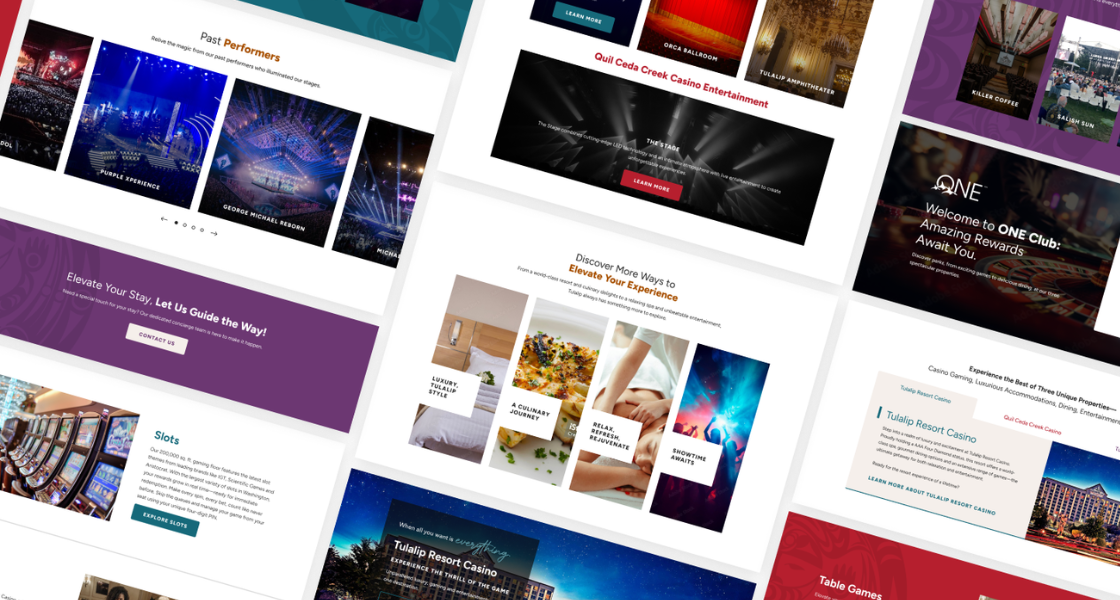
- Subpage Designs: Full visual UI for all remaining pages, fully prototyped
- Homepage Revisions + Subpage Check-In + Subpage Revisions: Structured revision rounds before moving to finalization
What we need from you: Brand style guide, logos, photography, and any other creative assets.
Phase 3: Finalization & Handoff
By the time we reach this phase, the strategy is set and the designs are approved. Phase 3 is about making sure every element the development team needs is finalized, documented, and organized before moving into production.
What we're doing: Finalizing copy direction, documentation, and design organization for development handoff.
Key activities include:
- Final Copy Development: For pages that need copy but won't be migrated from the existing site, we provide either a Copy Template (a fill-in-the-blank framework the client completes) or a Copy Document (full copywriting for pages that need it)
- Web Style Guide: A web-focused brand style guide covering font sizes, colors, and treatment for all headlines and body copy, plus guidelines for UI elements like buttons and forms
- Content Mapping & Image Sourcing: Assigning modules and layouts to pages without existing designs; sourcing images through existing assets or stock
- Module Library: Designs for the section templates that will be used to build the rest of the site
- Pre-Handoff Check-In + Development Handoff: Final approval on all deliverables before the project transitions to the build team
Phase 4: Build
This is where the site gets built and where all the upstream strategy work either pays off or falls apart. A well-documented handoff makes build predictable. A poorly documented one makes it expensive.
What we're doing: Implementing the design, copy, and technical requirements documented in earlier phases into a functioning website.
Key activities include:
- Create Development Environment: Setting up the CMS environment and server where the final site will live
- Build Homepage: The homepage is built first against the approved design to confirm alignment on general build requirements before proceeding with the rest of the site
- Build Modules & Global Elements: Taking a "lego block" approach; building and QA'ing the core components before they're applied across pages, minimizing the overhead required to fix bugs
- Load Content: Loading design elements, copy, and images into pages
- Create Site Architecture: Building out every location where a page is expected to live so the content loading team can begin their work
- 301 Redirects: Redirect mapping from pre-migration URLs to where that content will live on the new site
What we need from you: A content freeze, or clear documentation of any live site content changes during the build window.
Phase 5: UAT & Launch
UAT is the client's version of a blue tape walkthrough; the same concept as walking through a newly built house before you take the keys, flagging anything that doesn't match what was agreed on.
What we're doing: Client-side testing of the finished site, both as a user on the front end and as a content manager on the back end, followed by a coordinated launch.
Key activities include:
- User Acceptance Testing (UAT): Reviewing the site as a user (does it look and function correctly?) and as a content manager (can you upload images, update copy, add pages, and manage the CMS?) with tools provided for leaving structured feedback on anything that doesn't meet the approved spec
- Website Management Training: A walkthrough of the basics of the build, general navigation and CMS use, including specifics of how your site was built
- Address UAT Feedback: Resolving any client-flagged issues before launch
- Launch: A coordinated launch meeting covering DNS/domain swapping, 301 redirect implementation, and a final site review to ensure a smooth go-live
- Post-Launch Bug Support: 30 days of bug support following launch
- Website Management Training 2: A follow-up training session after you've had time in the CMS, covering any outstanding questions or deeper topics that surfaced after you started using the site
UAT is the last structured opportunity to verify that everything approved across discovery, design, and handoff was built correctly and that your team can actually operate what was built.
.png?width=900&height=546&name=Tulalip%20Case%20Study%20(13).png)
The Launch Isn't the Finish Line
A website is a living, breathing business tool, and what happens in the weeks and months after launch (how content is managed, how performance is monitored, how the site evolves as the business does) is as important as anything that happened during the build.
Our post-launch support window is designed to catch what only becomes visible once real users are on a live site. And for clients who want ongoing support beyond that window, our team spans SEO, content strategy, user experience, paid media, and analytics – meaning the site we built together can keep being refined and optimized over time.
If you're ready to talk about what a website project with LT looks like for your business, we'd like to hear about it.
Frequently Asked Questions
How long does a website design and development project take?
Timelines vary based on scope, complexity, and how quickly feedback and approvals move. Most mid-size website projects run between three and six months from kick-off through launch. Larger projects with more pages, custom functionality, or complex integrations take longer.
What's the difference between website design and website development?
Design covers the visual and strategic layer of the site: the content architecture, user experience, interface design, and brand expression.
Development is the technical implementation layer: the code, CMS configuration, and site architecture that makes the design functional in a browser.
At LT, both disciplines are involved from early in the process. Design decisions that don't account for what's technically feasible create rework, and development decisions that don't account for the design intent create sites that work technically but feel off.
How involved do I need to be as a client during the process?
More involved than most clients expect — especially in the first two phases. Discovery requires access to key stakeholders, honest conversations about business goals, and timely input on deliverables.
Content and design requires feedback at structured check-in points. Our timelines assume feedback within two business days at each review.
What should I have ready before a web project starts?
The more prepared you are at kick-off, the smoother discovery goes. Useful things to have ready include:
- Access to your current analytics (GA4, GSC)
- Any brand assets you have (logos, style guide, photography)
- A list of stakeholders who need to be involved and their availability for interviews
- Reference sites you want us to consider for inspiration
- Clarity on who has final approval authority on key decisions
How do I know when my website actually needs to be rebuilt versus refreshed?
A refresh (updated visuals, new photography, revised copy) makes sense when the underlying structure of the site is sound and the content architecture still reflects how the business works.
A rebuild makes more sense when the site's information architecture no longer matches how the business operates, when the CMS is making content management painful, when the site is underperforming in search and the issues are structural rather than cosmetic, or when a rebranding effort requires changes that go deeper than surface-level design.
If you're not sure which one you need, a full site audit is usually the right place to start.
Can AI tools replace a web design and development team?
For producing something that looks like a website quickly – yes, AI tools are genuinely capable of that.
For building a website that works for your specific business, serves your specific users, and holds up over time – no.
AI doesn't conduct stakeholder interviews, audit your existing content for what's worth keeping or know which of your current pages have backlink equity worth preserving, QA against an approved spec or train your content team on how to manage what was built.
The value of a full design and development team is the research, strategy, and expertise that determine whether the thing being executed is the right thing to build in the first place.
What happens after a website launches?
Immediately after launch, we provide 30 days of post-launch bug support to address anything that surfaces once the site is live. We also conduct a second website management training session once your team has had time in the CMS and has real questions about day-to-day use.
Beyond that window, ongoing needs vary by client: some need content support, some need SEO strategy, some need analytics configuration and reporting. LT's team covers all of those areas, so clients who want to keep working with us after launch have options beyond just keeping the lights on.



.jpeg)